
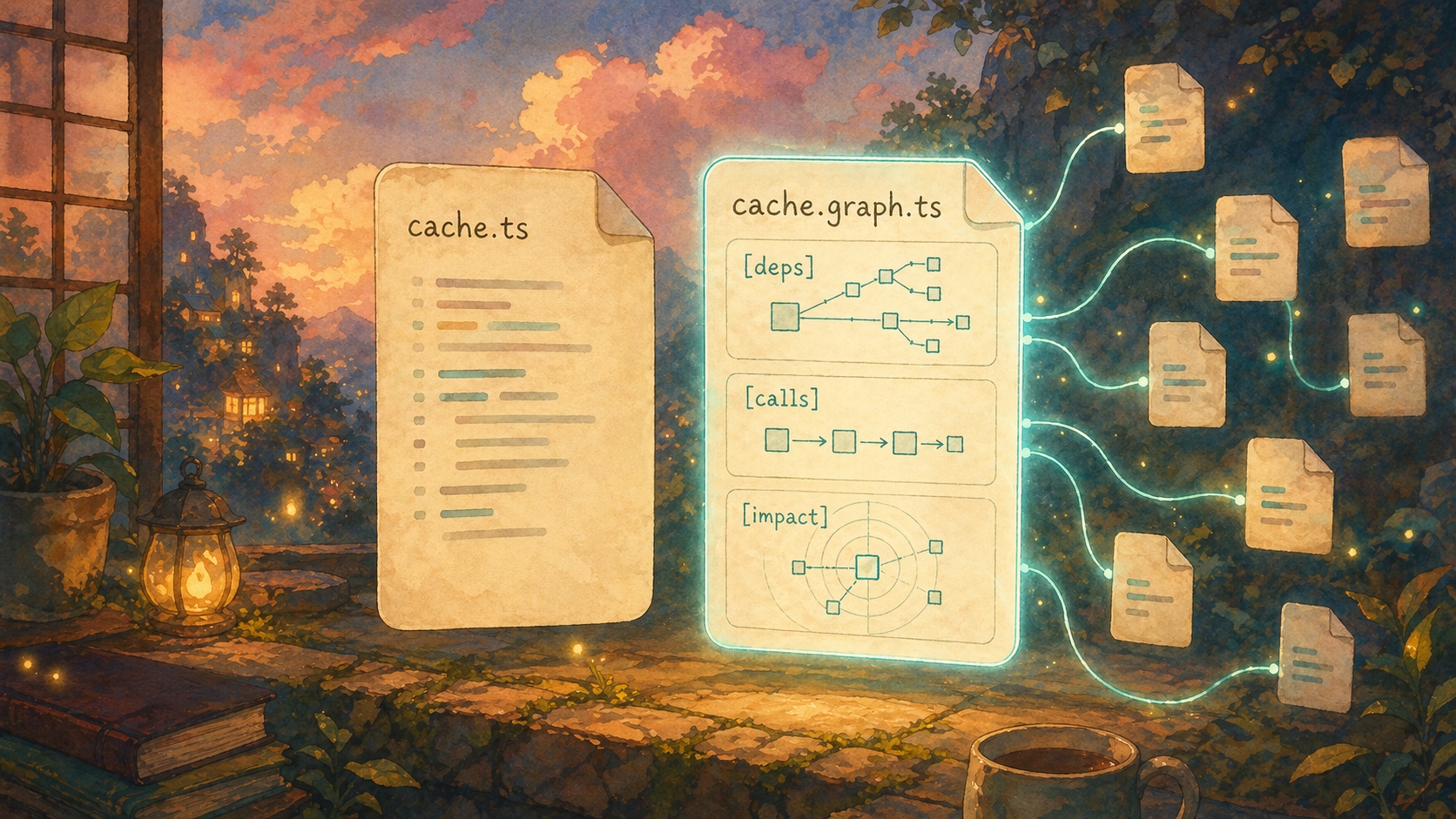
There are two ways to give an AI agent context.
You can make the agent ask for it.
Or you can put the context where the agent already looks.
Most developer tools choose the first path. They build a server, a plugin, a panel, a dashboard, a protocol, a sidebar, a command palette. Then the agent has to know that tool exists, call it correctly, parse the answer, and remember to use it again later.
That can work. But it is not the shortest path.
The shortest path is a file.
Agents already know how to read files
Claude Code can read files.
Cursor can read files.
Copilot can read files.
Windsurf can read files.
Aider can read files.
Every serious coding agent already knows how to cat, grep, search, and open files. That is the one interface they all share.
So the simplest way to give an agent a map of your codebase is not to teach it a new interface.
It is to write the map next to the code.
That is what Supermodel does.
If your repo has this:
src/cache.ts
Supermodel writes this:
src/cache.graph.ts
The graph file is plain text. It is small. It sits next to the source file. The agent can read it before it reads the implementation.
No dashboard.
No extra context window.
No new tool protocol required.
What is inside the graph file
A source file tells the agent what the code says.
A graph file tells the agent where that code sits in the system.
It answers the questions the agent would otherwise waste time rediscovering:
- What does this file import?
- What imports this file?
- What functions does this code call?
- What calls this function?
- What domains does this file belong to?
- What could break if this file changes?
The format is deliberately boring. It looks like notes a senior engineer might write before touching a risky file.
[deps]
imports: internal/config, internal/api
imported_by: cmd/analyze.go, cmd/graph.go

[calls]
Run calls createZip at internal/analyze/zip.go:41
Run calls Client.Analyze at internal/api/client.go:52
Run is called by newAnalyzeCommand at cmd/analyze.go:34

[impact]
risk: medium
domains: CLI, API client
direct dependents: cmd/analyze.go, cmd/graph.go
transitive dependents: cmd/audit.go, cmd/share.go
That is the map.
The source file is still the source of truth. The graph file is the guide rail. It tells the agent what to read, what not to miss, and what is dangerous.
Why this matters
When an agent starts a task with no map, it has to build one.
It greps for a function name. Then it opens a caller. Then it opens an import. Then it greps again. Then it opens another file. Then it guesses which tests matter.
Some of those searches are useful. Most are map-building.
Map-building is expensive because it happens before the real work. The agent is not fixing the bug yet. It is trying to figure out where it is.
Worse, the map is usually temporary. It lives inside the model's context window. When the context gets full, the map gets compressed or forgotten. On the next task, the agent starts over.
Supermodel makes the map persistent.
The map is not trapped in the model's head. It is in the repo, beside the files, where the agent can read it again.
The graph should move as the code moves
A stale map is worse than no map.
If the graph says a function has no callers, and that was true yesterday, but not today, the agent will make a bad decision with confidence.
That is why the default Supermodel workflow is not a one-time export.
You run:
supermodel
That starts the watcher.
On startup, it builds the graph and writes the .graph.* files. While it runs, it listens for file changes and refreshes the affected graph files. When you stop it with Ctrl+C, it cleans up generated graph files.
For a one-off pass, you can still run:
supermodel analyze
But the normal workflow is the watcher, because agents change code. The map has to keep up.
This is not MCP
MCP is useful when an agent needs to call a tool.
Graph files are useful because the agent does not need to call a tool.
The agent just reads a file.
That distinction matters. A tool call is an extra decision. The agent has to know the tool exists, choose the right tool, pass the right arguments, and trust the result.
A graph file removes that decision. The context is already in the repo. If the agent opens src/cache.ts, it can open src/cache.graph.ts first.
That is why this works across agents. It does not depend on one vendor's integration surface. It depends on the oldest interface in programming: files.
The agent prompt is tiny
You do not need a long prompt to make this work.
Run:
supermodel skill >> CLAUDE.md
That appends a short instruction block to your agent instructions. It tells the agent the naming convention:
src/Foo.py -> src/Foo.graph.py
It tells the agent to read the graph file before the source file.
That is enough.
The graph files do the heavy lifting. The prompt just points at them.
What changes in practice
Without the graph file, the agent starts like this:
grep for parseConfig
open config.ts
grep for imports
open three callers
grep again for indirect callers
guess which tests matter
With the graph file, it starts like this:
open config.graph.ts
read [deps], [calls], and [impact]
open the two relevant callers
change the source
run the right tests
It still reads code. It still reasons. It still runs tests.
It just stops wandering around first.
The product bet
Our bet is simple: the best AI coding tools will make codebases easier for agents to read.
Not by stuffing more files into context.
Not by making the agent blindly grep harder.
Not by asking every agent vendor to integrate another custom protocol.
By putting the structure of the code next to the code itself.
The graph file is the interface.
Install Supermodel, run it in your repo, and your agent gets the map before it starts guessing:
curl -fsSL https://supermodeltools.com/install | sh
cd /path/to/your/repo
supermodel
The docs version of this explainer is here: Graph Files.